Stop running coding classes through screen sharing chaos.
Vidvatta is a live lab classroom for instructor led Python, AI, data, and software engineering cohorts. Every learner gets a ready to code browser workspace. You see who is stuck before they ask.
Built for instructor led Python, AI, data, and software engineering cohorts.
The real problem is not video. It is invisible learner friction.
Every instructor has felt it. The session looks fine from the front. It is not fine.
Setup burns the first 30 minutes
Every session starts with pip install, environment mismatches, and version conflicts. Learners arrive to code and spend the first hour just getting ready.
You can't see who is stuck
Learners silently fall behind while you keep teaching. By the time someone raises a hand, half the cohort has lost the thread.
Screen sharing loops kill momentum
One stuck learner. Five minutes of screen sharing debugging. Twenty other learners waiting. The session breaks down one error at a time.
Five tools, zero integration
Zoom for video, Jupyter for notebooks, GitHub for code, Slack for chat, Google Colab for labs. Learners spend more time switching tabs than learning.
AI help with no classroom context
Generic AI tools have no idea what your learners are working on, what errors they're seeing, or what boundaries you've set for the session.
One classroom. Every learner ready to code.
A structured workflow that replaces chaos with operational control.
Join
Learners open a browser tab. No installs. No setup. Workspace is ready.
Code
Each learner gets an isolated notebook or file editor prepared for the session.
Run
Execute code in a sandboxed cloud environment. Local machine never involved.
Observe
Instructor sees every learner's status, whether active, idle, blocked, or erroring, in real time.
Intervene
Drop into any learner workspace, run a command, or send a fix without screen sharing.
Recover
One click workspace reset brings any learner back to a clean state in seconds.
Join
Learners open a browser tab. No installs. No setup. Workspace is ready.
Code
Each learner gets an isolated notebook or file editor prepared for the session.
Run
Execute code in a sandboxed cloud environment. Local machine never involved.
Observe
Instructor sees every learner's status, whether active, idle, blocked, or erroring, in real time.
Intervene
Drop into any learner workspace, run a command, or send a fix without screen sharing.
Recover
One click workspace reset brings any learner back to a clean state in seconds.
Built for live technical cohorts, not generic meetings.
Five purpose built workspace modes. Use the right one for each session type.
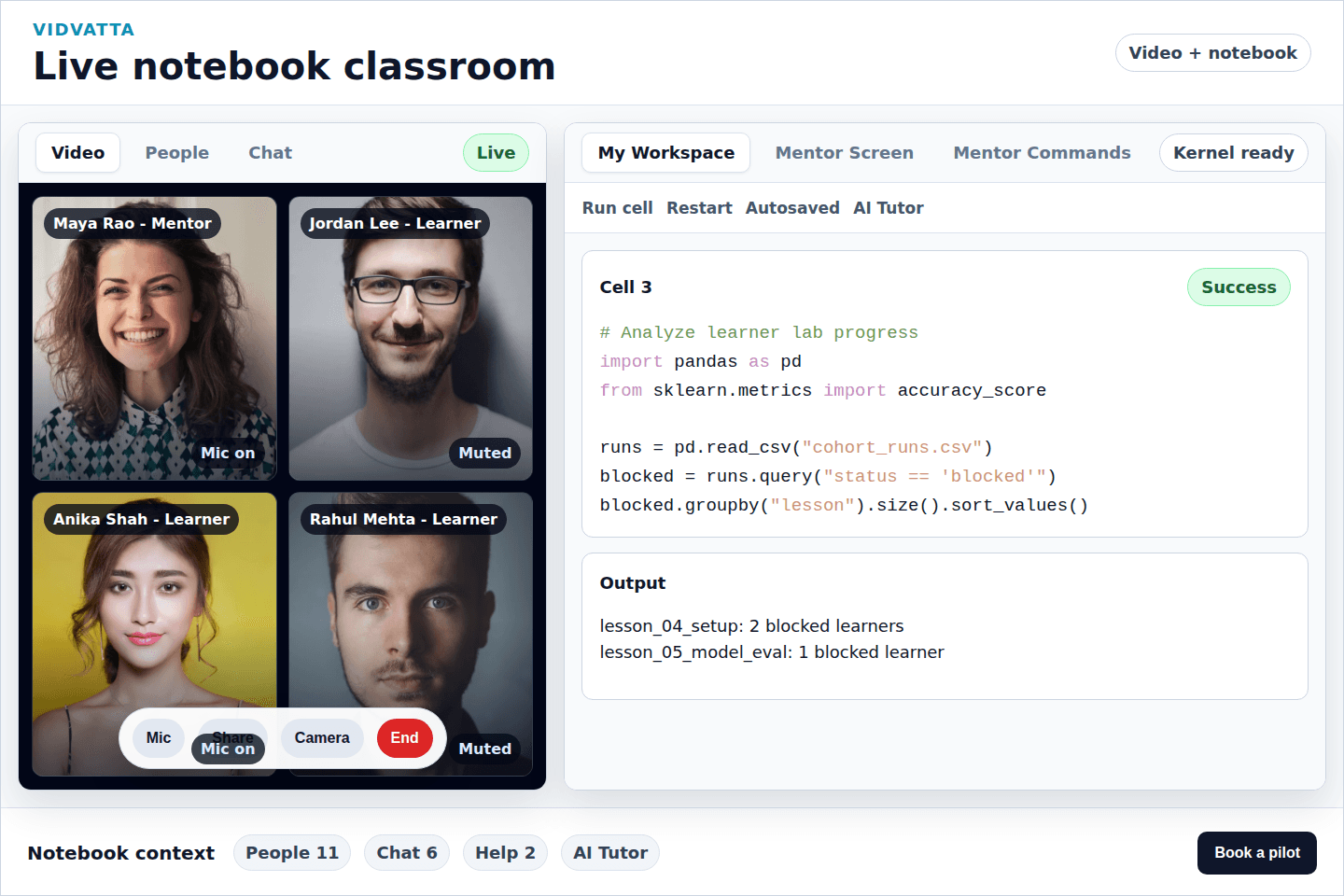
Live Notebook Classroom
Teach Python, AI, and data science with video and notebooks side by side.
- ->Learners run cells in isolated browser sandboxes
- ->Instructor sees every cell execution in real time
- ->No switching between Zoom, Jupyter, and chat
Best for AI, Python, data science, and notebook focused technical cohorts.
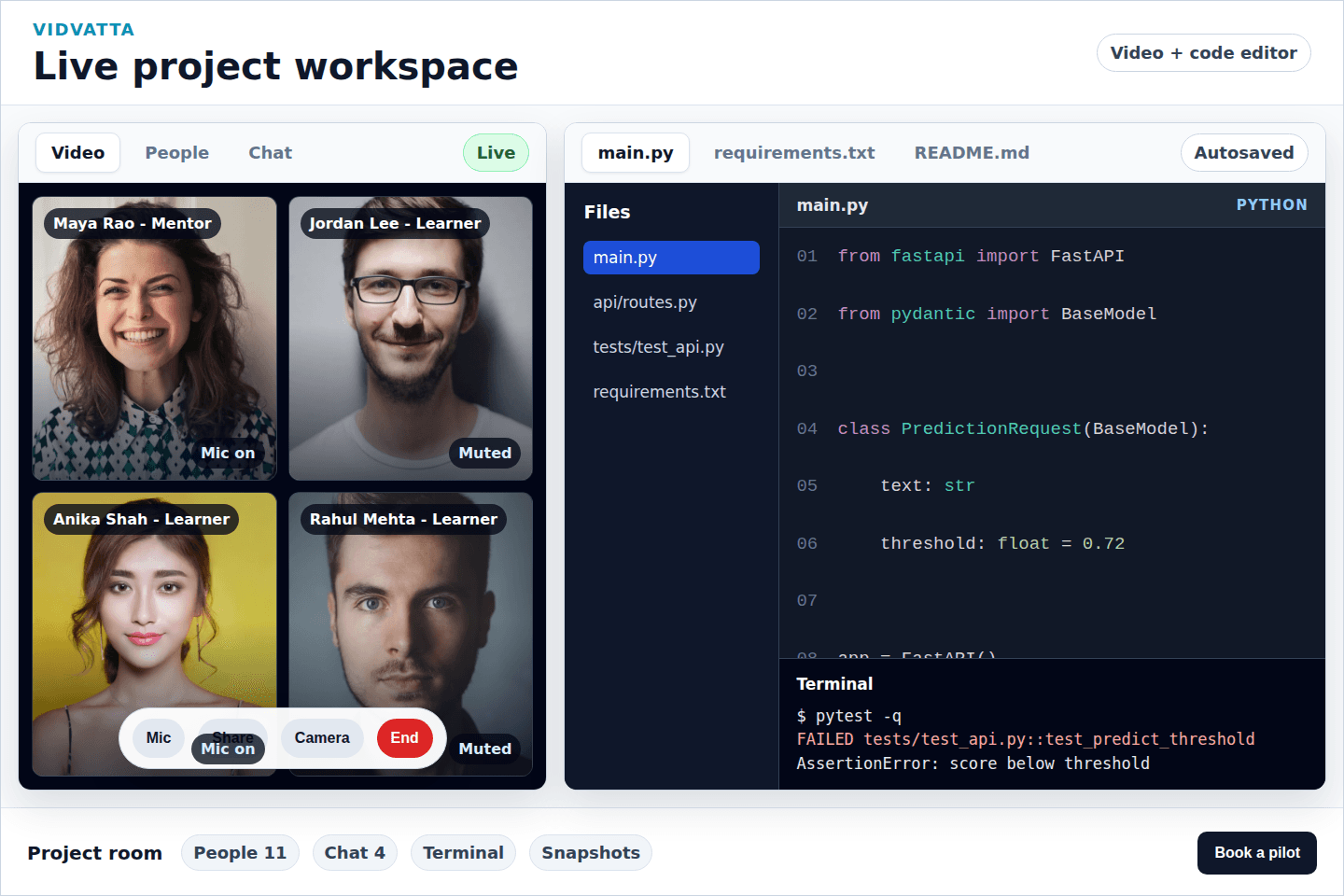
Live Project Workspace
Run software workshops with real project files, no local setup required.
- ->Monaco style editor with file explorer and terminal
- ->Students ship working code without touching local machines
- ->Instructor can inspect any file, at any time
Best for software engineering, backend, frontend, and project focused workshops.
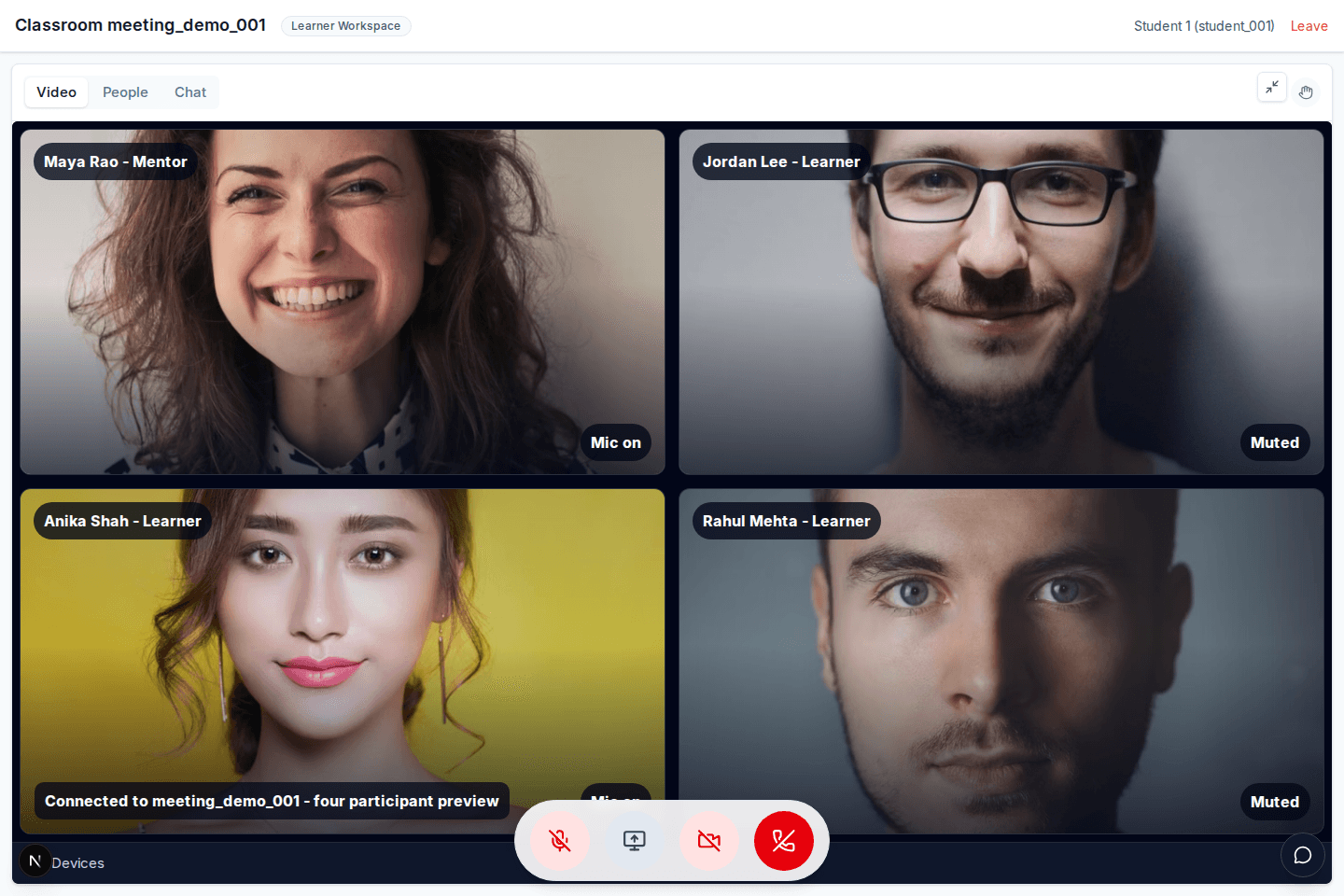
Focused Live Instruction
A clean live room for lecture, discussion, or office hours without the compute overhead.
- ->Full width video with structured participant grid
- ->Chat, help state, and screen sharing built in
- ->Not every session needs an execution environment
Best for lectures, review sessions, onboarding, and live Q&A.
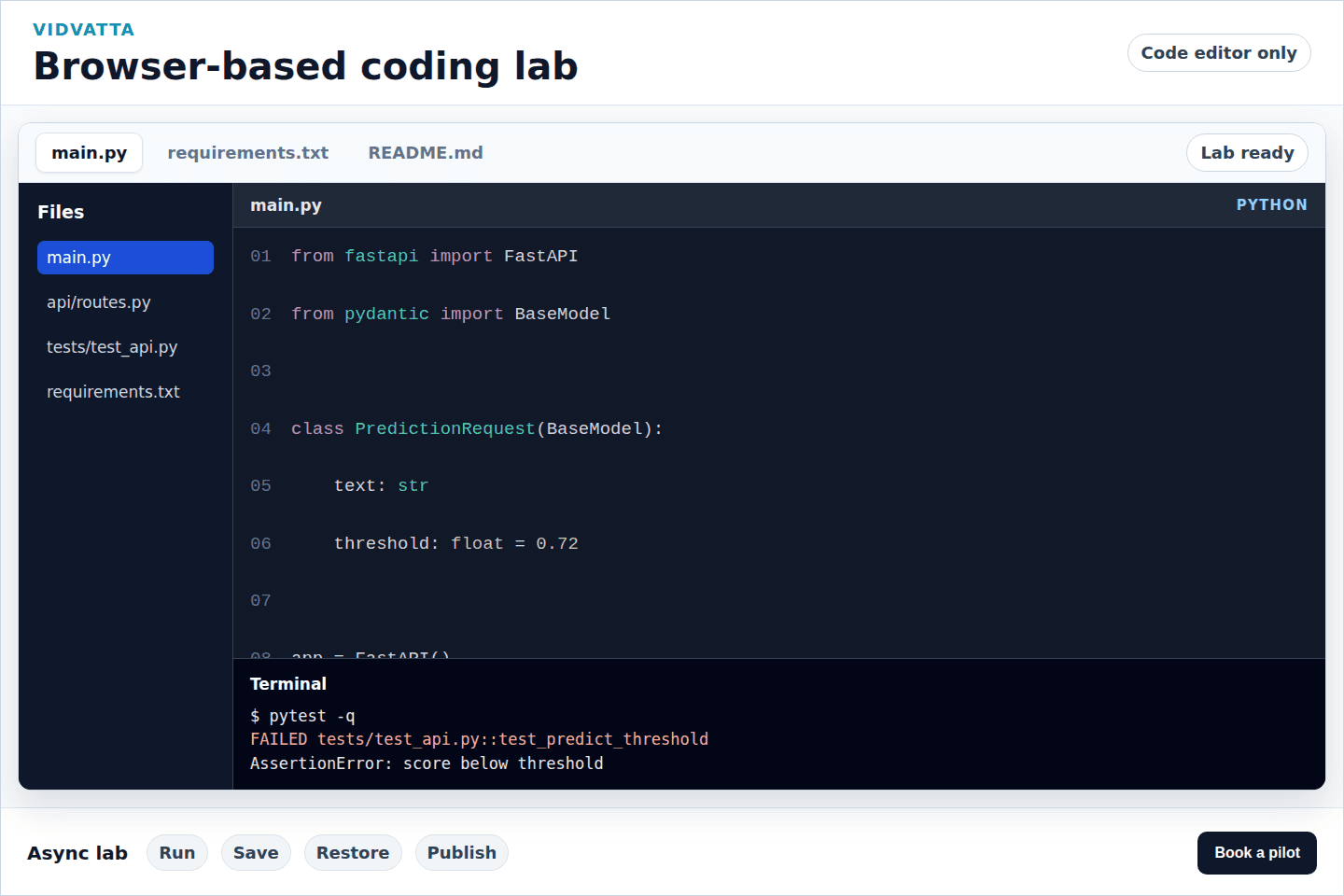
Browser Based Coding Lab
Assign async labs with ready to code workspaces. No local setup. No excuses.
- ->Full file editor with terminal and kernel toolbar
- ->Save snapshots and restore workspace state
- ->Local environment setup never blocks lab completion
Best for async labs, supervised practice, and controlled environment exercises.
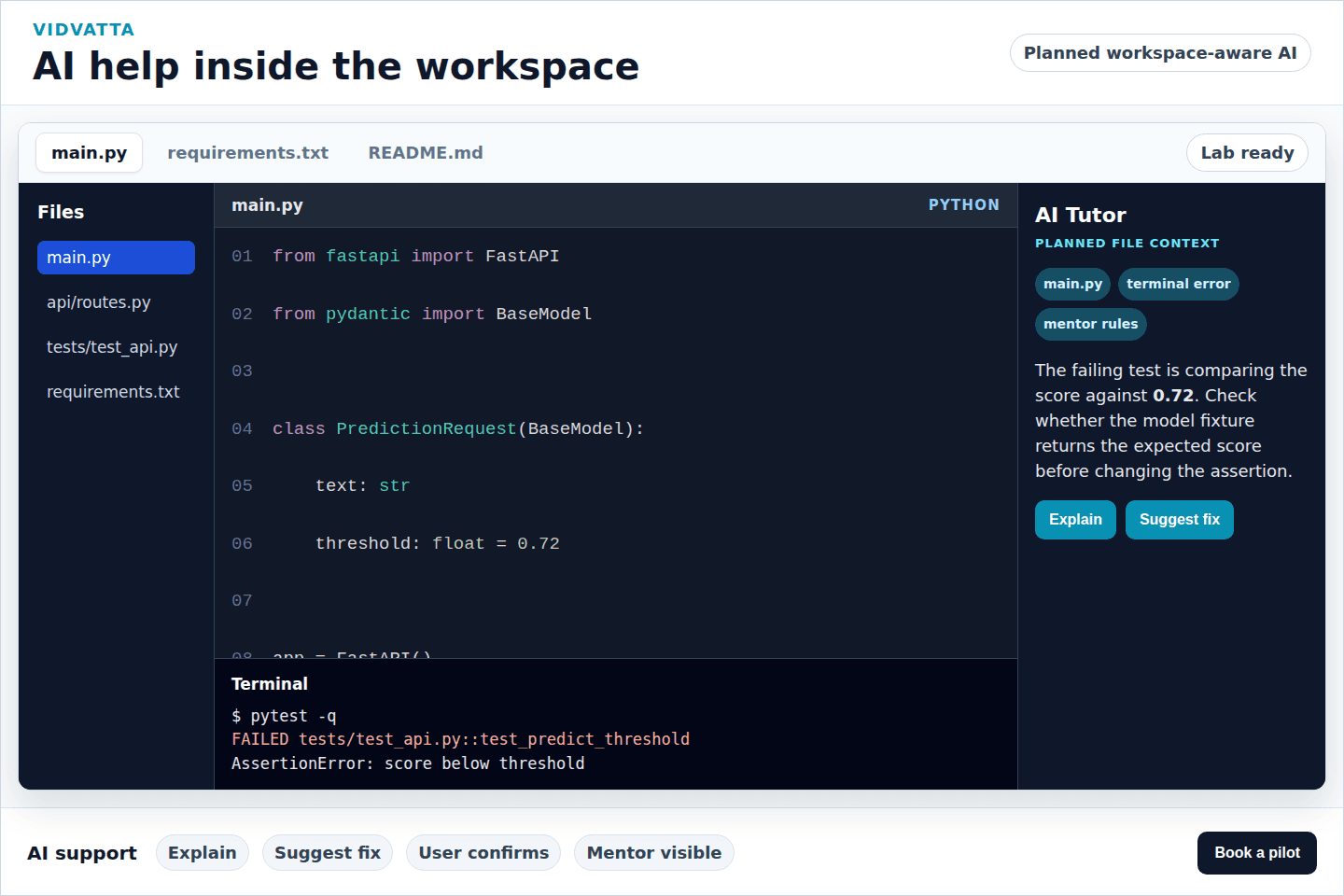
AI Help Inside the Workspace
Planned workspace aware AI assistance that explains errors with context and waits for learner action.
- ->AI can use the learner's actual code and error output when enabled
- ->Suggests fixes only with explicit learner action
- ->Instructor controlled boundaries. AI does not replace teaching
Best for guided debugging and learner support without replacing the instructor.
Why Zoom plus notebooks is not enough.
Every piece of your current stack was built for something else. Vidvatta is built for this.
| Area | Current Stack | Vidvatta |
|---|---|---|
| Video + code integration | Separate tools, constant switching | Unified live classroom |
| Learner environment setup | 30 to 60 min per student at session start | Instant browser workspace, zero installs |
| Instructor visibility | Screen sharing only, one learner at a time | Real time status across all learners |
| Execution environment | Local machine breaks without notice | Isolated cloud sandboxes per learner |
| AI assistance | Generic chatbot, no classroom context | Workspace aware AI with instructor boundaries |
| Error recovery | Manual per student debugging through screen sharing | One click workspace reset |
| Tooling surface | Zoom + Jupyter + GitHub + Slack + Colab | One live technical classroom |
Built for high friction technical cohorts.
If your learners are coding live, Vidvatta was built for your session.
Corporate AI & Data Upskilling
Enterprise teams need structured, repeatable labs for Python, LLMs, and data pipelines, not ad hoc Colab links.
Technical Training Companies
Running paid cohorts on fragmented tools erodes instructor credibility and learner outcomes.
Coding Bootcamps
Setup failures and screen sharing loops are the most common causes of session abandonment.
Developer Education Teams
Product led onboarding and API workshops need practical environments, not just slides.
University Extension & Continuing Ed
Async assignments and live sessions need consistent environments that instructors can supervise.
Software Engineering Workshops
Real project work needs real terminal access, not a limited browser toy.
Measure what actually happens during live labs.
Our pilot program includes a post cohort report with key engagement and completion metrics, so you can quantify the change.
Run one live technical cohort on Vidvatta.
We set up and run your first cohort with you. You see exactly what Vidvatta delivers: instructor visibility, no setup learner workspaces, and real session data before any long term commitment.
- ✓Up to 30 learners, 1 instructor
- ✓3 live sessions (up to 3 hours each)
- ✓Full browser workspace setup
- ✓Instructor command center access
- ✓Dedicated onboarding support
- ✓Post cohort engagement report
No commitment required.
The pilot is designed to give your team a complete picture of Vidvatta in a real cohort setting.
Designed for real technical classrooms.
Enterprise training teams need operational confidence. Here is how Vidvatta is built.
Browser clients only
Learners never install anything. The execution environment is fully server side.
Isolated execution
Each learner runs in a scoped runtime. No learner can access another's workspace or data.
View only mentor mode
Instructor visibility is read only by default. Active intervention requires explicit action.
Server mediated execution
All code runs on Vidvatta's infrastructure. Learner machines are never execution targets.
Workspace snapshots
Workspace state is saved and restorable. Errors can be recovered without data loss.
Provider separation
Video, compute, and storage are architecturally separated, with no single point of session failure.
Teach live coding
without losing the room.
One pilot. Your cohort. Real learner data. No commitment until you have seen it work.